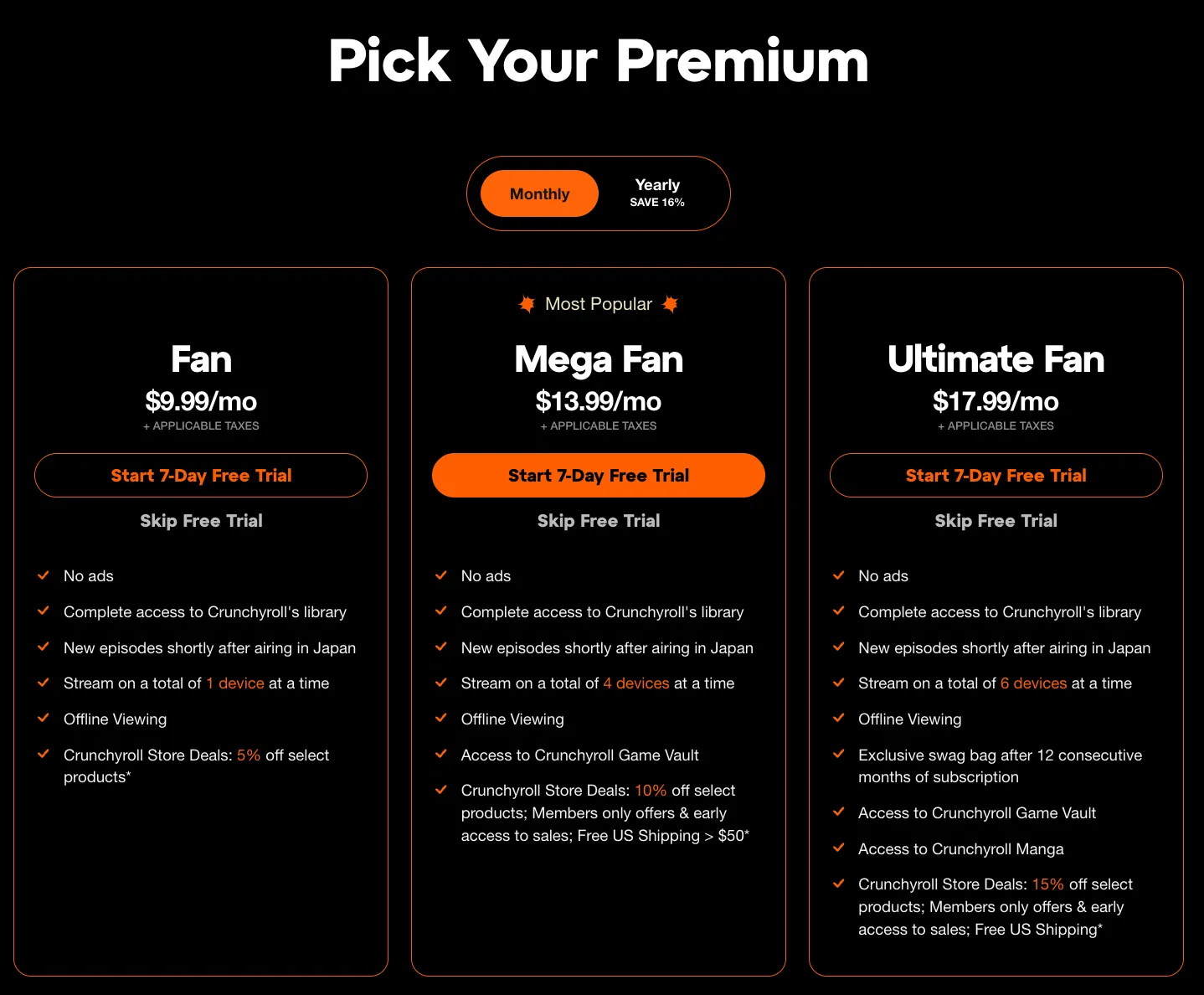
Getting a Crunchyroll Premium free trial is straightforward via their official site, offering a 7-day standard trial for new users across Fan, Mega Fan, or Ultimate Fan plans. Extended options (14-60 days) exist through partners like Best Buy or Xbox—here's how, step-by-step.
Official 7-Day Free Trial (Standard)
- Go to crunchyroll.com: Click “Start Free Trial” or “Premium” banner.
- Choose Plan: Select Fan ($7.99/mo), Mega Fan ($9.99/mo), or Ultimate Fan ($17.99/mo)—all eligible.
- Sign Up/Log In: Use email/Google/Apple; new users only (no prior paid sub).
- Add Payment: Enter valid credit/debit/PayPal (no charge during trial; ~$1 temp hold refunded).
- Activate: Trial starts instantly—ad-free streaming, simulcasts, downloads (plan-dependent).
Extended/Partner Trials (Longer Free Access)
Eligibility: New/returning OK for some; one trial/account. VPN may flag geo-restrictions.
Pro Tips
- Test Mega Fan: Offline downloads on 4 devices—ideal for travel.
- Avoid Charges: Set calendar reminder Day 6 to cancel.
- Post-Trial: $1.99/mo promo for 2 months (limited-time).
Summary
Head to crunchyroll.com/premium for instant 7-day access; snag Best Buy/Xbox for 30-60 days free. Binge One Piece risk-free—new anime drops weekly!